Daily planner for freelancers: stop overloading your day
Most daily planners don't tell you when your day is over capacity. Here's how to build a daily plan as a freelancer that's realistic from 9am.
7 min read
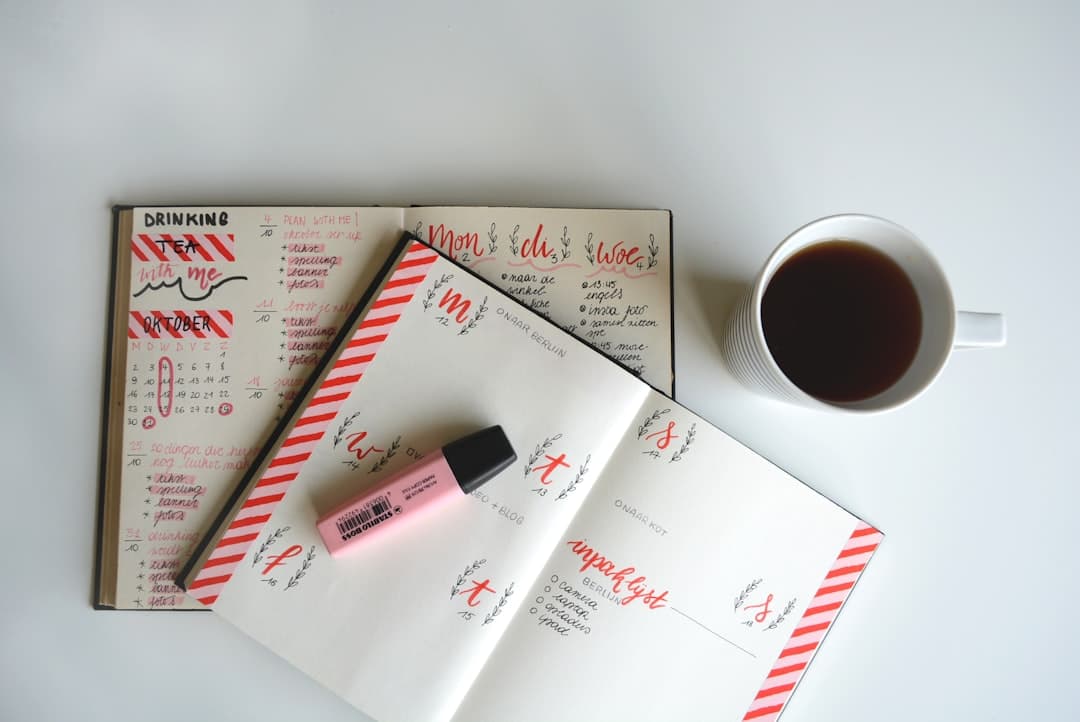
Freelancers overcommit because their task list has no concept of time. Five tasks or fifteen, it looks the same. The fix is straightforward: give every task a size, give your day a limit, and when your tasks exceed that limit, stop taking on more. That's a daily planner for freelancers that actually works.
The problem isn't that you work too little. It's that no tool tells you your day is full until after you've already said yes to six things.
Why daily plans fail for freelancers
Most tools are good at keeping track of tasks. Notion, Todoist, TickTick: they all let you list what needs doing. What they don't do is tell you whether your day is actually possible.
A list of eight tasks looks the same as a list of three. Nothing on the screen says "this is too much for one day."
For freelancers juggling multiple clients, that blind spot is expensive. You might work 32 hours a week, spread across four or five clients. Every morning you have to figure out what's urgent, how long things take, and which client gets your attention today. That decision costs energy before you've done a single billable thing.
A daily planner for freelancers should solve this problem at 9am, not let you discover it at 5pm.
What does capacity-aware daily planning mean?
Capacity-aware daily planning is the practice of matching your task list against your available hours before you start working. It's the difference between a wish list and a realistic plan.
Most freelancers don't do this because no tool makes it easy. You'd have to estimate every task, add up the minutes, and compare against your working hours. In a spreadsheet. Before coffee.
The two questions a good daily plan answers are simple: is today actually doable, and what will I deliver by the end of it? Not a list of activities. Concrete results, tied to clients.
How to plan your day as a freelancer: 4 steps
Step 1: Give every task a time estimate
Not a vague "small / medium / large" feeling. An actual estimate. 30 minutes? 90 minutes? Three hours?
This forces honesty. That task you keep calling "a quick one" is probably 45 minutes. The one you've been putting off for two weeks? Likely three hours. Writing the number down makes it real.
Step 2: Add it up before you start
Say you have six hours available. Your tasks add up to seven and a half. You can't do everything. That's not a surprise at 5pm, it's a fact at 9am, before you've started.
Something has to go. What's least urgent for today? Move it to tomorrow or the backlog. This is the single most valuable part of a freelancer daily planning routine: the moment where you decide what not to do.
Step 3: Tag tasks to clients
Which task belongs to which client? It sounds like admin, but it gives you something concrete at the end of the day: "I spent four hours on Client A and two hours on Client B."
That information matters. For your own sense of progress. For conversations with clients who ask what you've been working on. And for spotting the pattern where one client quietly eats 70% of your week while paying for 40%.
Step 4: Protect one block for the work that counts
Urgent things fill your day on their own. The email that needs an answer, the bug that needs fixing. That's normal.
But the work that actually moves things forward? Reaching out to a new lead, writing that proposal, planning next quarter. That work is rarely urgent. It disappears in the noise unless you protect it.
Block 90 minutes each morning for this work. Put it on your board first, before the urgent tasks claim every slot. One protected block per day is enough to stop drifting and start building.
What happens to the tasks that don't fit?
This is the part most freelancer daily planning advice skips over. You've got tasks that don't make the cut for today. Now what?
Three options, in order of preference:
Tomorrow's board. If it genuinely needs to happen soon, move it to tomorrow. Don't defer everything indefinitely or tomorrow becomes impossible too.
The backlog. Anything without a hard deadline belongs here. A backlog isn't a graveyard. It's a parking lot. You pull from it when today's board has space.
Drop it entirely. Some tasks survive on your list because you feel you should do them, not because you actually need to. Every week or two, look at your backlog honestly. If you've moved something forward three times and still haven't done it, it probably wasn't that important.
The discipline of not doing is harder than the discipline of doing. A good freelancer daily planning system gives you a way to say "not today" without losing track of what you pushed. That's the difference between a backlog and a list that haunts you.
Why do freelancers always end the day feeling behind?
Because most planning tools give you a list, not a limit.
A list can always grow. A limit forces a decision. When you can see at a glance that your day is over capacity, you make that decision at 9am instead of 5pm.
The end of the day looks different when you planned with a limit in mind. Not "I worked all day and I'm not sure what I delivered" but: "Client A Q2 proposal ready for review. Client B campaign scheduled. Followed up on the web project." Specific results. Clients attached.
When you track this, something shifts. At the end of the week you can give yourself an honest overview. You can tell clients exactly what you did. And that sense of knowing what the work added up to is what makes the daily pressure of freelancing bearable.
How to plan your day as a freelancer comes down to this: estimate your tasks honestly, compare them to the hours you have, protect one block for meaningful work, and record what you delivered. Do those four things and most days will feel like progress instead of chaos.
What TaskBerry does differently
TaskBerry is a daily planning app built for freelancers and consultants juggling multiple clients. It's the only planner where your board turns red when your day is over capacity.
Every task gets a time size (from 30 minutes to 6 hours). Your day has a configurable limit (6 hours by default). When your tasks exceed that limit, the board turns red before you start working. Not at the end of the day when it's too late.
The AI assistant takes your morning brain dump and turns it into concrete, time-estimated tasks tagged to the right client. You type "need to call back about that Q2 thing, proposal still not done, check invoice for Client B." Thirty seconds later: four clean tasks, sized and sorted.
At the end of the day, you see what you finished and for which client. Not a vague sense of "I worked a lot." A list, with hours, with client names.
It's not a project manager. Not a calendar optimizer. A daily planning partner that knows your day has a limited number of hours, and makes sure your task list knows it too.
Free to start on a real free plan, with Pro at EUR 9.95/month or EUR 99/year.
TaskBerry
TaskBerry is a day planner built for freelancers. Set your capacity, add your tasks, and know before you start whether the day works.
Start planning free →Continue reading


Plan a day that actually fits.
TaskBerry is the executive task manager for freelancers. Set your capacity, add your tasks, and know before you start whether the day works.
Start free