What TaskBerry does
A day planner that counts in hours, with the time you worked, your clients and your projects right next to it.
Start for freeSee if your day fits
You give every task a size in time. TaskBerry adds up your plan and holds it against the hours you have today, minus your meetings. So you see what won't fit at the start of the day.
- Every task a size, from S to XXL
- A bar that fills up, with a line at "Doesn't fit today"
- Move to the next working day or the backlog
- Different working hours per weekdayPro
Over daily capacity · 2h too much
Planned 9h / 7h7h left for tasks. Over daily capacity · 2h too much Planned 9h / 7h. Doesn't fit today: Work out the Studio Noord brand and everything below it. Tasks: Rewrite the Hofstede quote (3h), Studio Noord homepage copy (1h 30m), Send the September invoices (30m), Work out the Studio Noord brand (4h).
Turn a brain dump into tasks
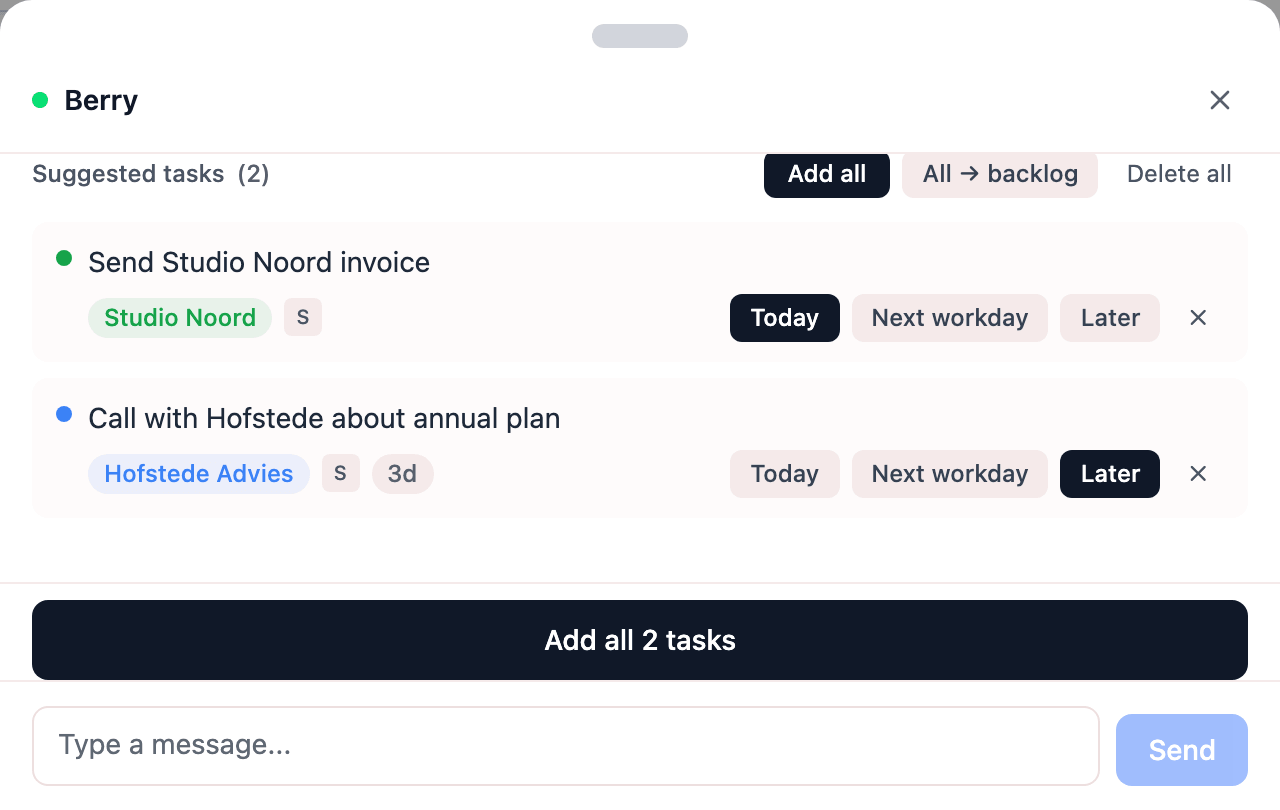
Type or paste what's on your mind. Berry turns it into tasks with a size and a label, plus a date if you name one. You pick the ones you keep. Free includes 3 brain dumps a month.
- Tasks with a size and label from your own words
- Choose per task: Today, Next workday or Later
- A Berry page of its own for a question or a messagePro
Set up recurring work once
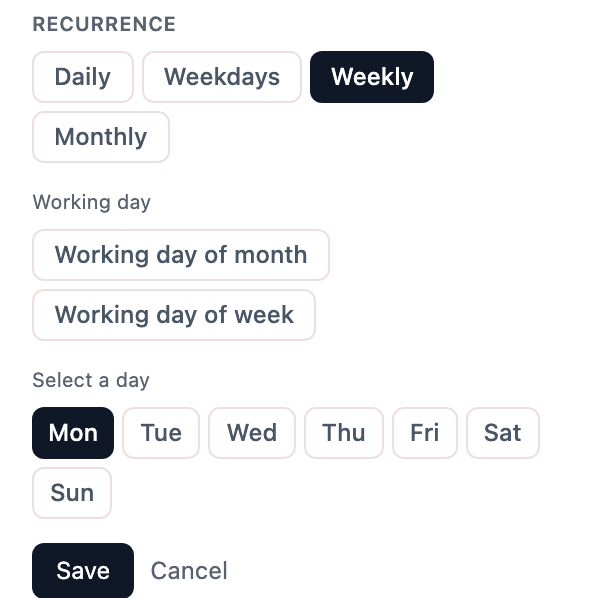
Set a task to repeat and it shows up on the right day by itself. Free lets you keep 3 recurring tasks active at a time, Pro as many as you like.
- Daily, weekdays, weekly or monthly
- The first or the last working day of the month
- Skip next when you don't need it this time
- Plan ahead in Week
Track your hours and meetings
You log how long you worked on each task. Meetings come off your day, so the bar stays accurate. With Pro you can bill a meeting to a client and split tracked time across your tasks afterwards.
- Log hours per task, per day
- Meetings that take time off your day
- Bill to client, per meetingPro
- Track time and split it across tasks afterwardsPro

Show a client what you did
Reporting shows your logged hours and finished tasks per client, for the period you choose. That's what you build a client report from.
- Hours and finished tasks per client, per period
- Logged hours next to the hours you agreed per week
- Generate summary to go with the report
- Export as PDF for the client report

Keep larger jobs together as projects
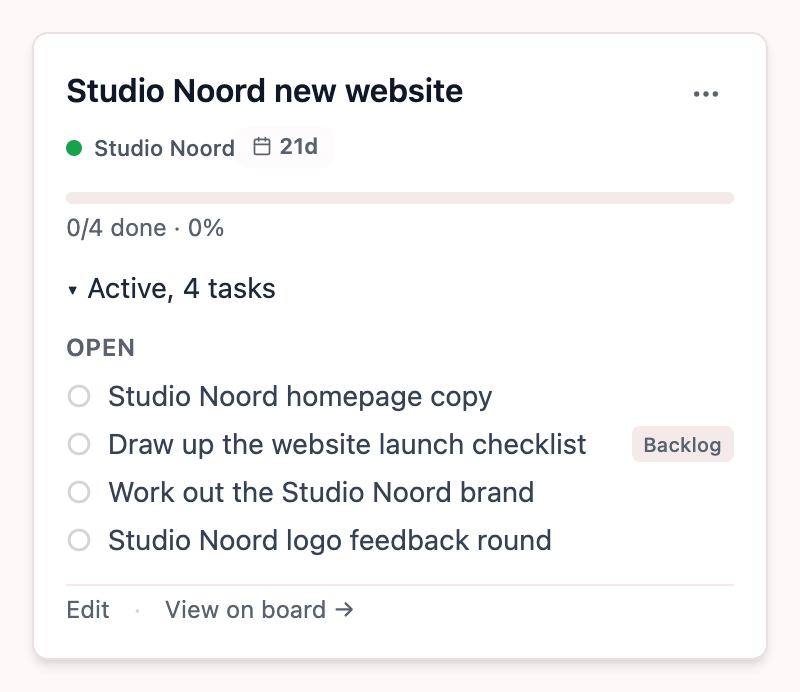
A label is the big group, like a client. Inside it you bundle tasks into projects, so you can see how far along a job is.
- Projects inside a label, like a client
- A target date as a soft deadline
- Per project, what's done and how much time went in
Try it on your own day
The pricing page shows what Pro costs and what it adds.
Start for free