Setting up as a freelancer
Set how many hours you work a day and when you stop, make a label for each client, and adjust a day that runs differently from normal.
As a freelancer you work for more than one client, and not every day is the same length. TaskBerry counts with the hours you give it. Set up your workday first and make a label for each client, and the capacity bar will match your week.
Setting up your workday
You set up your workday under Account, in Workday. You get to Account through the circle with the first two letters of your email address: at the bottom of the sidebar in the cockpit, top right in the classic view and on your phone. Choose Account & settings.
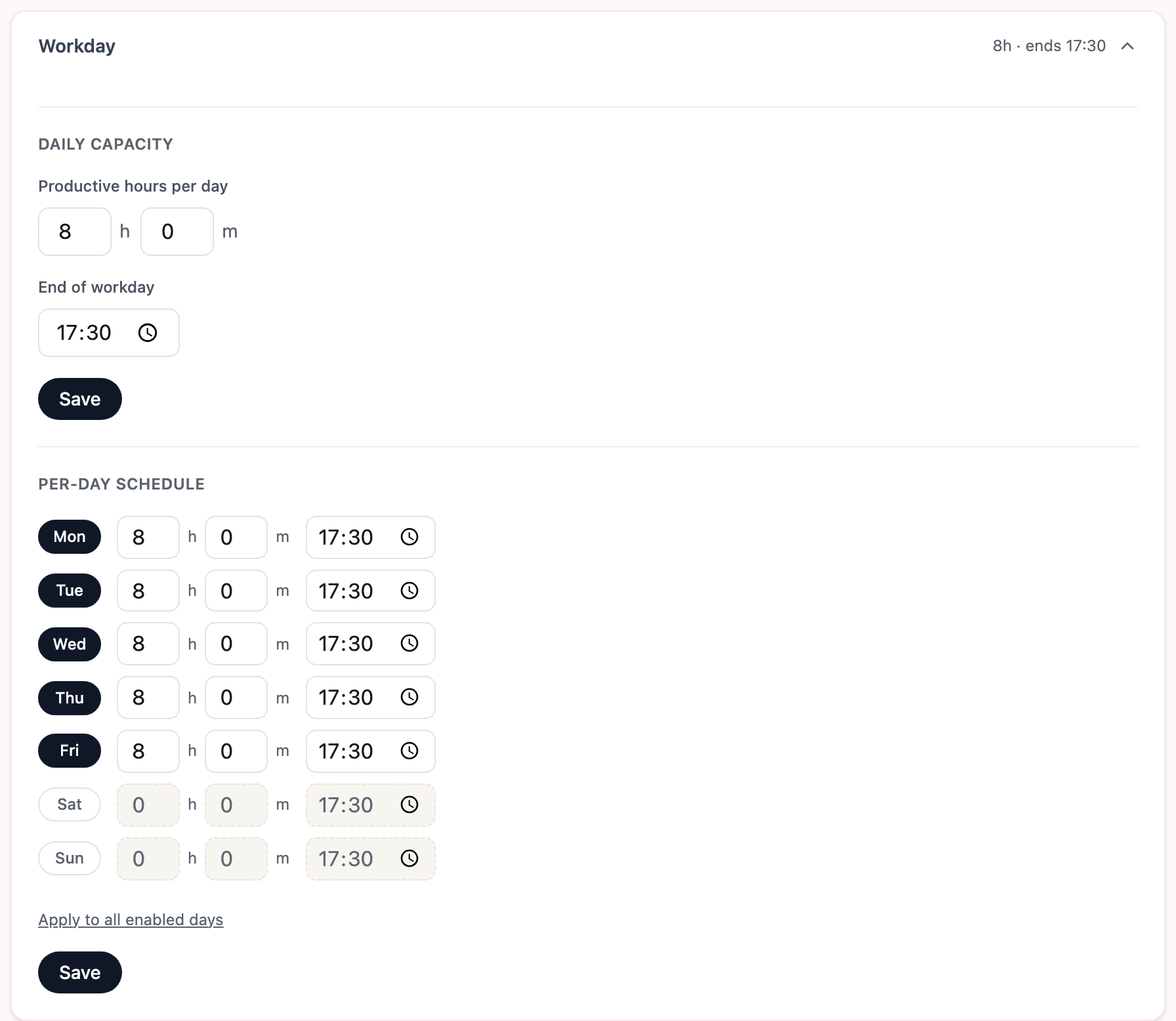
- Productive hours per day. Under Daily capacity, enter how much time you spend on tasks on a normal day. Not the hours you sit at your laptop, but the hours in which you actually get work done. Leave meetings out: you add those per day, and they come off this number.
- End of workday. When you normally stop. As that time gets closer, the clock starts to count, and after it TaskBerry treats the day as over.
- Click Save.
By default you work Monday to Friday with the same hours, and Saturday and Sunday are off. Work only half a day on Wednesdays, or on Saturdays too? Under Per-day schedule you switch each weekday on or off and give it its own hours and end time. Apply to all enabled days copies the first day that's switched on to the other workdays.
A label for each client
A label shows on every task who or what it's for. Make one for each client, and one for your own work, such as admin or finding new clients.
You manage your labels under Account, in Labels, at Manage labels. That's where you make a new label, change its name or colour, or hide a label you no longer use. You can also make a new label from the label menu in the input field, with New label.
On Free you can use 3 labels at a time. Want another one? Hide one first. A hidden label doesn't count, and tasks that already had it keep it.
At the top of the same section is Default label for new tasks. That label is already selected when you type a new task. Pick the client you work for most, so you switch the least.
Do you only work for a client on certain days? On Pro you give a label Active days. A task with that label that you add for your next workday then goes to the next day you work for that client.
A day that runs differently
Not every week is a normal week. You can change two things for today only, without touching your settings. Both sit in the line above today's tasks, and both are free.
Working on a day off? You'll see Work today? there. One click and today is a workday with your usual day capacity. The same spot then shows that you're working today. Click it to pick the number of hours. The cross next to it takes you back to a day off. Tomorrow your schedule is back to how it was.
Stopping at a different time today? Click your end time, the one with the clock icon. In the When do you stop today? panel you set a stop time for today only, and Back to normal resets it. Stop earlier and the clock starts counting sooner. Stopping later doesn't make your day capacity bigger. At most it gives back time the clock had taken, up to your day capacity minus your meetings.